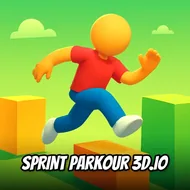
Sprint Parkour 3d.io
Instructions:
Mouse LeftDescription
Sprint Parkour 3d.io: A Beginner's Guide
So you've loaded up Sprint Parkour 3d.io and your character is already twitching to move. Good, that's the right instinct here. This is a race against a pack of other runners scrambling over the same obstacle course, and the first few seconds decide a lot more than they should. Don't just hold the mouse down and hope for the best; watch the first barrier before you commit, because faceplanting on obstacle one puts you dead last before the race even feels like it started.
Control Scheme
- Left mouse button is your entire toolkit, so get comfortable with it fast.
- Holding it down keeps your runner sprinting forward automatically, no separate move key needed.
- Timed clicks trigger jumps over gaps, walls, and whatever else the course throws in front of you.
- Release too early or too late and you'll clip an obstacle instead of clearing it clean.
- There's no crouch or slide, so every obstacle is solved through jump timing alone.
Pro-Level Advice
- Study the obstacle spacing rather than reacting on instinct, since the layout repeats patterns you can learn.
- Jump a beat earlier than feels natural, most beginners actually jump too late and clip the edge.
- Keep your eyes slightly ahead of your runner instead of locked directly on them, it buys you reaction time.
- Racing against other 3D runners means position matters, so don't panic if you fall behind early, gaps close quickly when someone else misjudges a jump.
- Consistency beats flashy risk-taking here. A clean, steady rhythm of jumps will out-place someone who's sprinting recklessly and eating faceplants every ten seconds.
- Replaying the same run a few times helps you memorize obstacle placement, and that muscle memory is honestly where most of your improvement comes from.